Pick6 optimizer guide
Pick6 optimizer workflow for comparing prop value
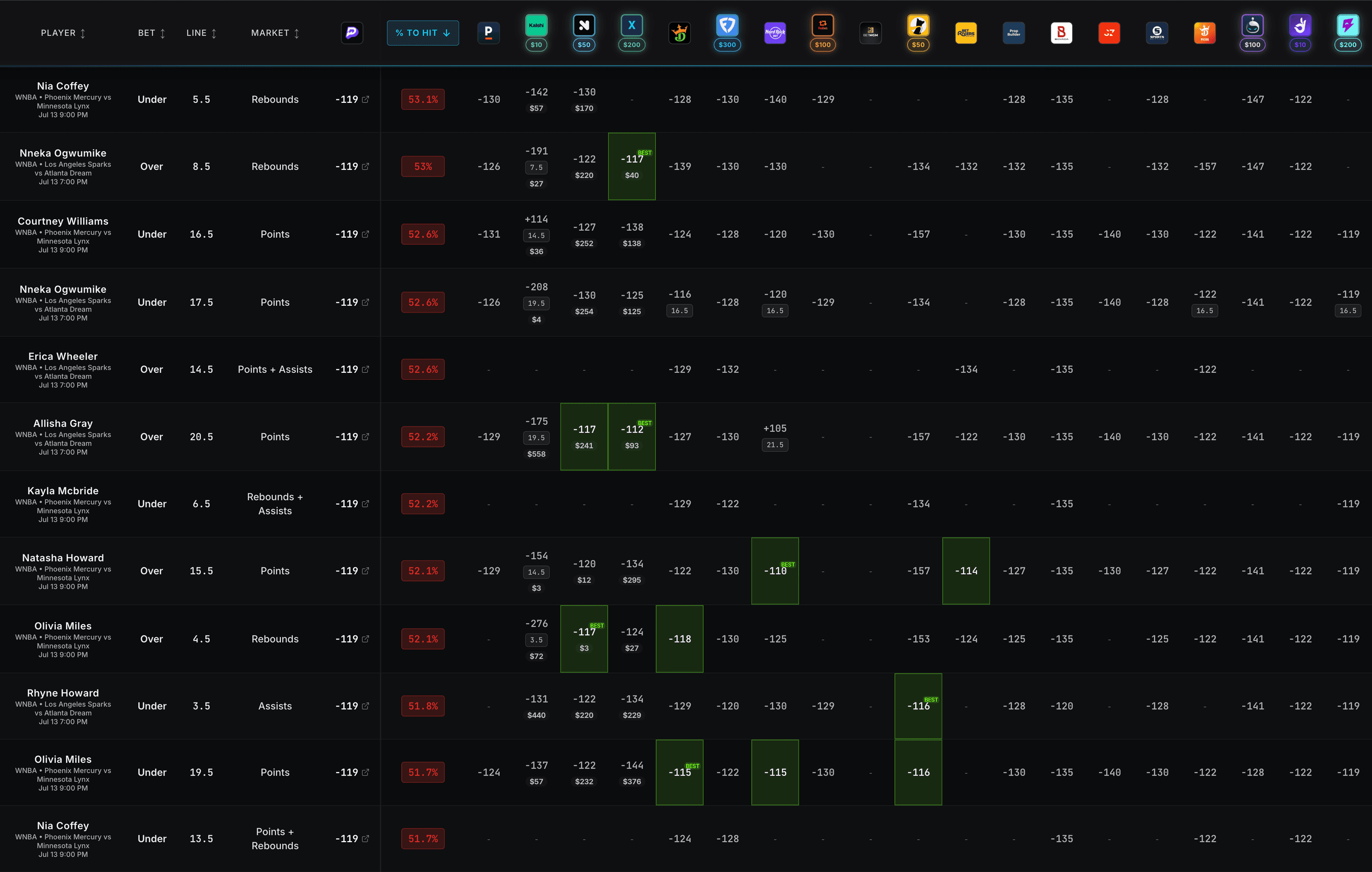
Use this public guide to understand how Upside approaches Pick6 research: isolate the exact projection, compare it with sportsbook context, review expected value, and verify Pick6 player, stat, side, payout format, and live app availability before deciding whether the line still belongs in your own entry.
Use case
What Pick6 Optimizer Workflow helps you review
Workflow
A price-first workflow for your own decisions
Start with the exact Pick6 line
Confirm the Pick6 player, stat, side, payout format, and live app availability before comparing anything else. Similar-looking props can have different rules, payout assumptions, or stat definitions.
Compare against broader market context
Use the optimizer to find where Pick6 lines appear different from the rest of the prop market. A larger discrepancy deserves review, but it is still a research signal rather than an automatic entry.
Separate leg quality from slip construction
Evaluate each leg first, then think about Pick6 slip pricing, multiplier rules, prop freshness, and exposure. This keeps the process from forcing weak legs into a slip just to complete an entry.
Verify and track the decision
Open Pick6 to confirm the line is still live in your account, then record the projection, market context, and result. That feedback loop shows whether the workflow is improving your process over time.
Before relying on the data
- Confirm the Pick6 projection and market comparison are aligned.
- Watch for stale lines after injury, lineup, role, weather, or roster news.
- Review Pick6 slip pricing, multiplier rules, prop freshness, and exposure before treating two similar entries as equal.
- Use a repeatable staking process instead of increasing size after short-term results.
Coverage
Coverage depends on market, location, and live availability
Pick6 coverage depends on available sports, stat types, projections, market data, and user location.
Upside is not affiliated with Pick6 and does not submit entries for users.
This is a public workflow guide; live optimizer data remains inside the app experience.
Features
What the Upside workflow brings into one place
Questions
Common questions about Pick6 Optimizer Workflow
What does a Pick6 optimizer do?
A Pick6 optimizer helps compare platform-specific props with market context so users can review whether a projection or price appears fairly valued before building their own entries.
Can this guarantee winning Pick6 entries?
No. Sports and DFS outcomes have variance. The workflow is about making price-aware decisions, not guaranteeing results.
Does Upside submit Pick6 entries?
No. Upside is informational analytics software and does not submit entries, accept wagers, or act on a user's behalf.
Responsible gambling
Upside is 21+ only and provides informational analytics, not gambling advice or a betting service. It does not accept wagers, place wagers, operate a sportsbook, or guarantee outcomes. Set limits and never bet more than you can afford to lose. If you or someone you know has a gambling problem and wants help, call 1-800-GAMBLER or visit ncpgambling.org.